sentinel
Getting started
From zero to a monitored backup in four steps.
1. Install the gem
Start by adding the gem to you Rails project and running the install script:
$ bundle add boring-backup aws-sdk-s3
$ bundle exec bb install
This will install the gem, create the initializer where you can configure the backup and also optionally install a Solid Queue recurring job. See more in Installation & CLI.
2. Create a monitor
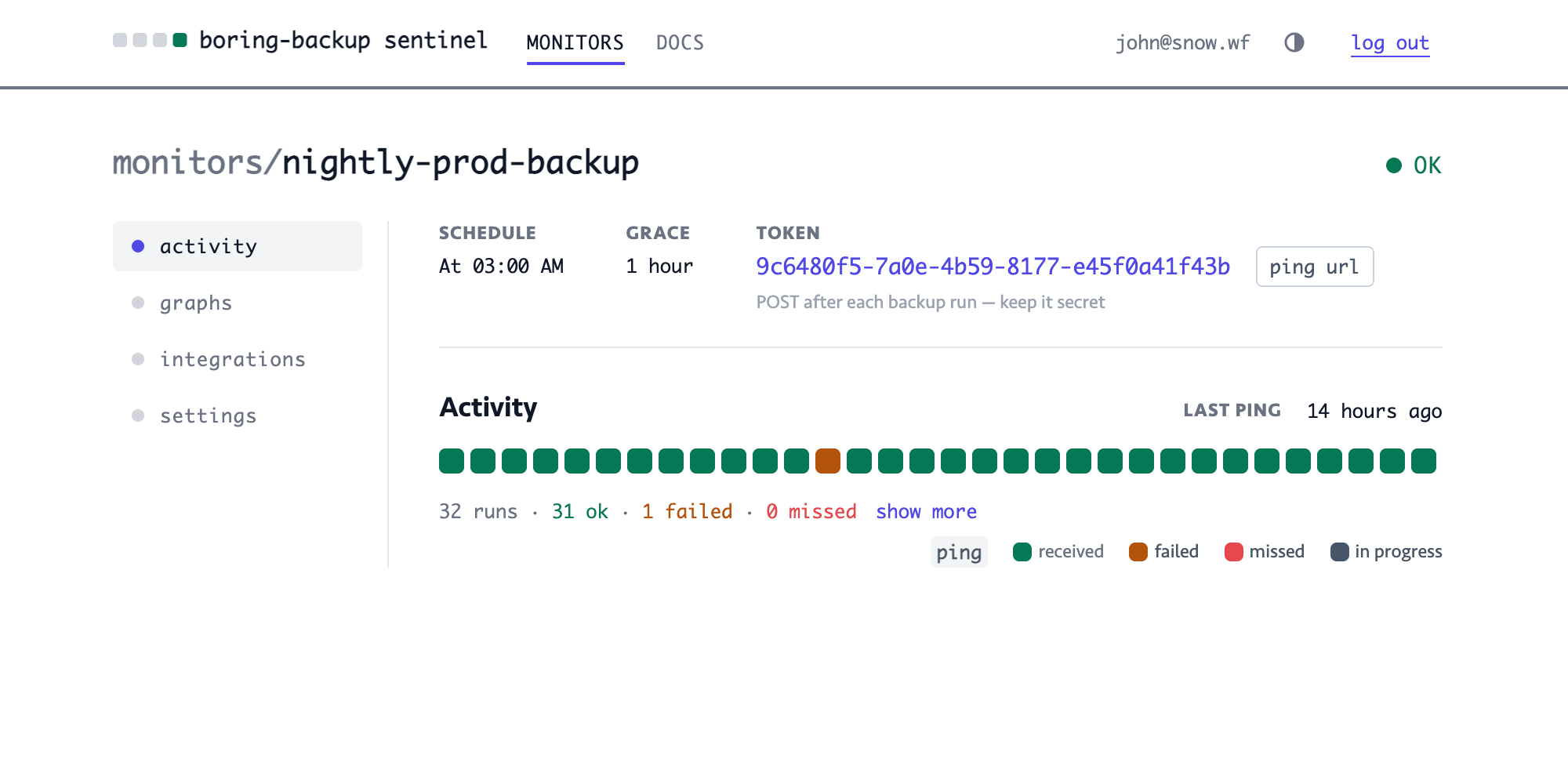
Sign up and click on "+ new monitor". Give it a name and set up the expected schedule when the backup is supposed to run. It is also a good idea to provide a grace period so the backup script actually has time to finish before the alert fires up.
After creating the monitor, copy its "Token" - you'll need it in the next step!
3. Connect the gem
Edit the initializer and set the sentinel_key of the monitor from
the previous step:
# config/initializers/boring_backup.rb
BoringBackup.configure do |config|
  config.sentinel_key = '12345678-abcd-1234-abcd-abcdef123456'
end
4. Run a backup and watch it land
Make sure you have configured at least one store in the initializer. Then run the doctor command to see if everything is wired up correctly:
$ bundle exec bb doctor
Boring Backup  doctor · development
✓ pg_dump   /Applications/Postgres.app/Contents/Versions/latest/bin/pg_dump
✓ versions  pg_dump 18, server 18
✓ database  db_development
✓ stores    1 registered
✓ s3        s3://db-bucket eu-central-1
– schedule  no config/recurring.yml — using cron or another scheduler?

Checks passed. 1 skipped — run this where the credentials live to verify the bucket.
If everything looks good, run the backup command:
$ bundle exec bb backup
Boring Backup  db_name
✓ s3     2.5 MB in 1.8s  → database/db_name/2026/07/16-03-00-12.dump

Backed up to 1 store(s).
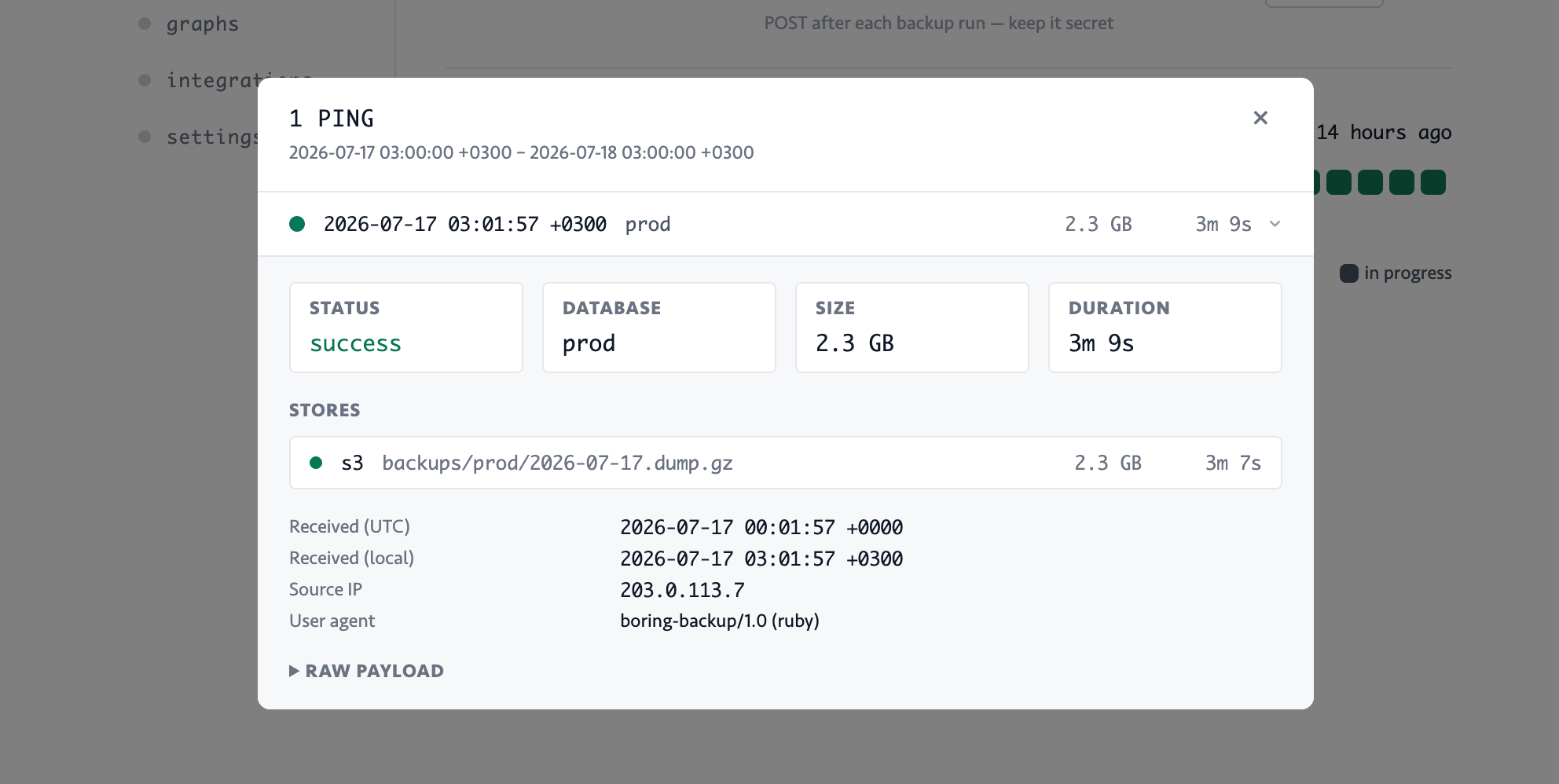
After the backup completes, an event will be sent to your monitor:
Further reading
- Creating a monitor — schedules, timezones and grace in detail
- Slack integration — get alerted where you already look
- Gem configuration — every option and environment variable